

Daily Production: occupancy, meal plans, production, turnover and collections by day
How to read the Daily Production report: for each day, arrivals, departures, presences, guests by meal plan, occupied rooms, TOC, RevPAR, average rate, room and extra production, turnover by document date, and collections by payment date. Explains the difference with the Production Report.
You are in the right place if…6 cases
- “In the daily production, the TOC is at 200%”
- “The total number of rooms changes from one day to another”
- “Turnover and collections do not match production”
- “The average rate in the totals is too low”
- “I cannot see the Daily Production item in the menu”
- “Difference between Production Report and Daily Production”
Where to find it
The report can be opened from the Reports > Daily Production menu. It is visible to users with the view booking amounts permission. This permission is different from the one for the Production Report, so a user may see one of the two reports and not the other.
What it is used for
Daily Production is an accounting-operational view, with one row for each day of the period. It is designed especially for hotels and properties with meal plans (BB, HB, FB) and shows:
- arrivals, departures, and presences;
- guests divided by meal plan;
- occupied rooms, TOC, RevPAR, and average rate;
- room and extra production;
- daily turnover and collections.
How it works
Filters
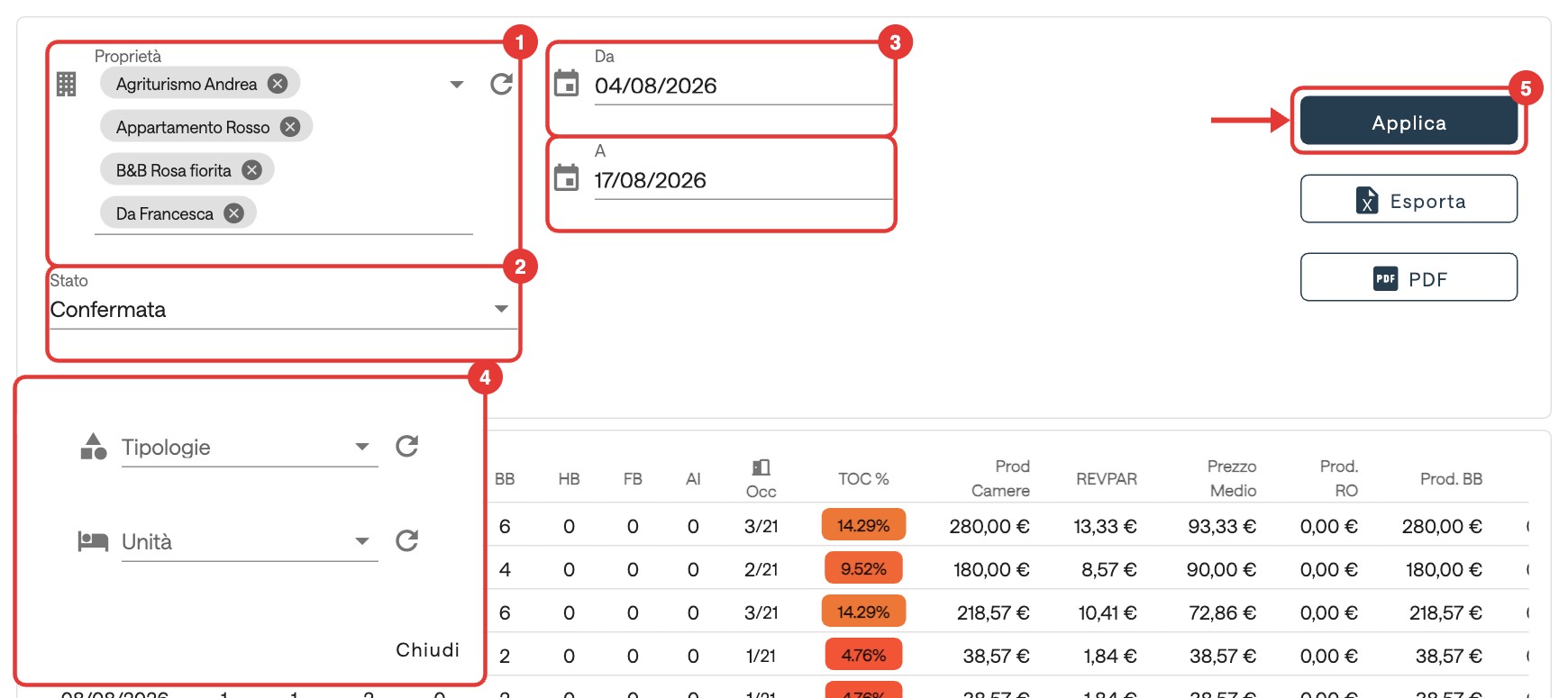
- Property: mandatory.
- Status: defaults to Confirmed. If you clear the field, all bookings are included, including cancelled ones.
- From / To: mandatory. When you change From, To automatically sets to the last day of that month.
- Advanced filters: Room Types and Units.
Which bookings are counted
Only actual bookings: blocks and closures are excluded. A booking occupies nights from the arrival date to the night before departure.
Columns
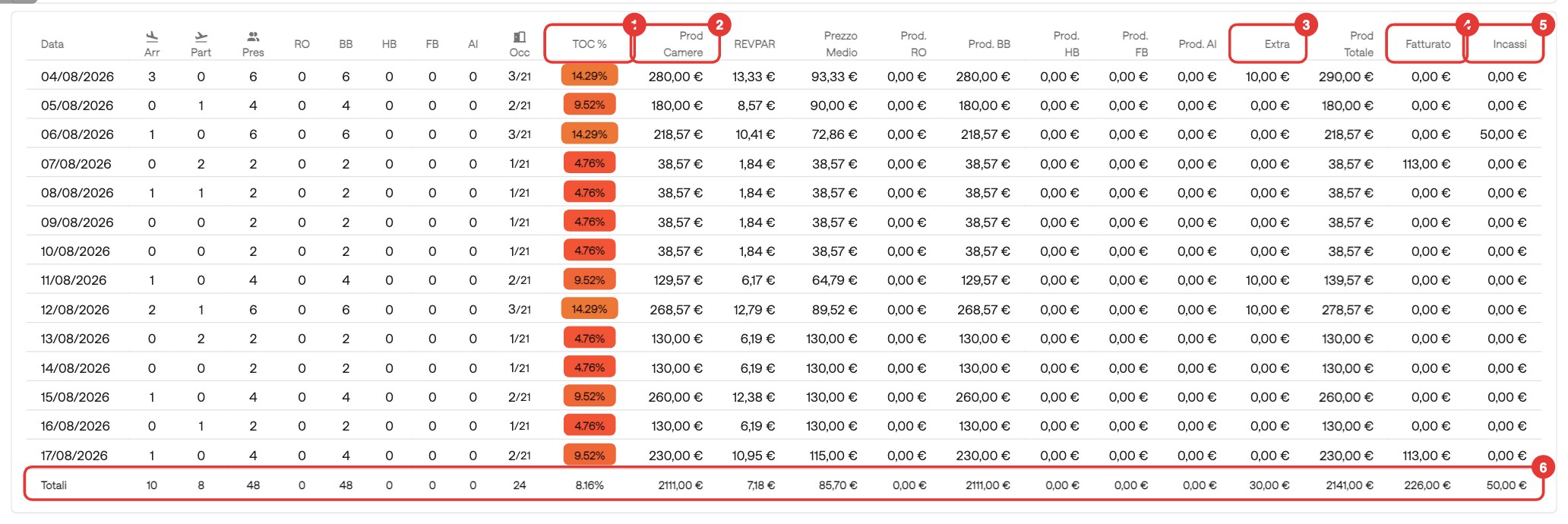
- Arr / Dep: bookings with arrival or departure on that day.
- Pres: guests present during the night.
- RO / BB / HB / FB / AI: guests (people, not rooms) divided by the booking's meal plan. A booking without a meal plan is counted as RO.
- Occ: occupied rooms / sellable rooms. Sellable rooms are the property units minus those closed on that day; wildcard units are not counted.
- TOC %: room occupancy rate, i.e., occupied rooms ÷ sellable rooms.
- Room Prod: sum of the per-night price of bookings (the one from Daily Detail). OTA commissions are not deducted.
- REVPAR: Room Prod ÷ sellable rooms.
- Average Price: Room Prod ÷ occupied rooms.
- Prod. RO … AI: Room Prod divided by meal plan. It represents room value, not meal value.
- Extras: total booking extras, distributed equally across the nights.
- Total Prod: Room Prod + Extras.
- Turnover: receipts and invoices minus cancellations and credit notes, by document date, related to the bookings in the report.
- Collections: payments recorded by payment date.
Totals, currency and export
- Arrivals, presences, occupied rooms and amounts are sums.
- TOC, RevPAR and Average Price are the simple average of daily values, including empty days.
- The currency is that of the first selected property, without conversion.
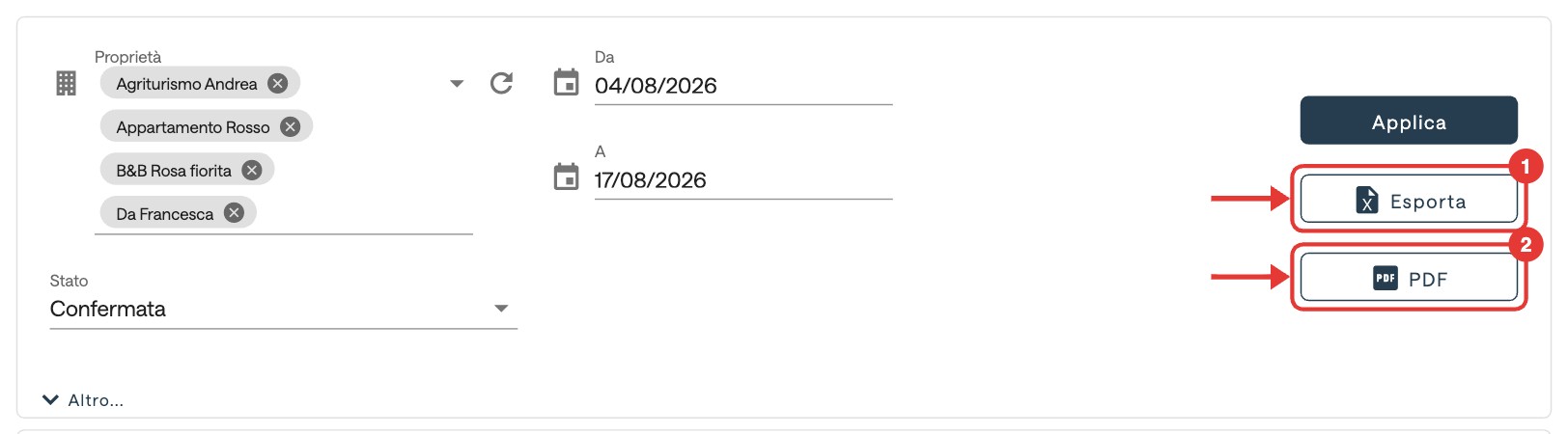
- Export downloads an Excel file with unrounded values. PDF prints the table in landscape orientation.
How to use it
- Open Reports > Daily Production.
- Select one or more properties and check the Status.
- Set From: To automatically sets to the end of the month.
- If needed, open advanced filters for Room Types or Units.
- Click Apply, then Export or PDF.
Good to know
- TOC over 100%: bookings assigned to a wildcard unit are counted among occupied rooms, but the wildcard unit is not included in sellable rooms. Move bookings to real units.
- Variable total rooms: the number of sellable rooms changes every day because it deducts active closures for that day.
- Average Price in totals: it is the average of daily values, including days without occupancy, making it appear lower. For the average price of the period, calculate Total Room Prod ÷ total occupied rooms from the export.
- Turnover and Collections: follow document date and payment date, not the night of stay, so they do not reconcile with Total Prod.
- Meal plan: the booking's meal plan is used; changes made to a single day are not considered.
- Difference with the Production Report: uses the same per-night basis and the same rule for sellable rooms. The Production Report also shows No-show, ADR, and RevPAR; Daily Production adds guests and production by meal plan, extras, turnover, and collections.
Frequently asked questions
2Why does TOC exceed 100%?
Bookings assigned to a wildcard unit count as occupied rooms, but the wildcard unit is not included in sellable rooms. Move these bookings to real units. If TOC is very high on a single day, also check the Daily Detail for bookings on that day.
Why is the Average Price in the totals lower than what I calculate?
The total is the average of daily average prices, including empty days. For the average price of the period, divide total Room Prod by total occupied rooms.
Related guides
How it works
How it works
How it works
How it works
How it works
How it works