

AVS Meldeschein: guest registration and city tax in German municipalities
How to connect SmartPMS to AVS Meldeschein, the system used by many German municipalities to collect guest registration, city tax (Kurbeitrag/Kurtaxe), and the Gästekarte: codes to obtain from the municipality (Kurverwaltung ID, Company ID, Property ID), configuration in Bureaucracy > Marketplace, automatic submission, manual submission by booking or by date, Meldeschein PDF, submission logs, and integration limits.
You are in the right place if…6 cases
- “How do I connect my AVS account to SmartPMS?”
- “The municipality sent me the Kurverwaltung ID, Firmen-ID, and Objekt-ID: where do I enter them?”
- “SmartPMS says the Kurverwaltung ID is invalid”
- “I am still entering guests manually into the AVS portal”
- “I need to send bookings from previous months to AVS”
- “Where do I download the Meldeschein in PDF?”
Does your municipality use AVS? Every municipality chooses the system to collect guest data. If the municipality has given you access to the AVS Meldeschein portal, this is the right guide. If you register guests on Feratel, follow the Feratel Meldewesen guide.
Before you start
To connect SmartPMS to AVS, you need three codes provided by your municipality (Kurverwaltung, tourist office, or Gemeinde), not by SmartPMS:
- Kurverwaltung ID: identifies the municipality or tourist board.
- Company ID (Firmen-ID): identifies your business.
- Property ID (Objekt-ID): identifies the individual accommodation. If you have multiple accommodations, each has its own.
Use the codes from the Webservice configuration sent by the municipality, not those for XML import: they are different values.
The municipality must also enable SmartPMS on their AVS portal (interface CIAO_BOOKING). Until they do, SmartPMS cannot save the connection, even with the correct codes. You do not need to enter any password: the connection credentials are managed by SmartPMS.
1. Configure the AVS account
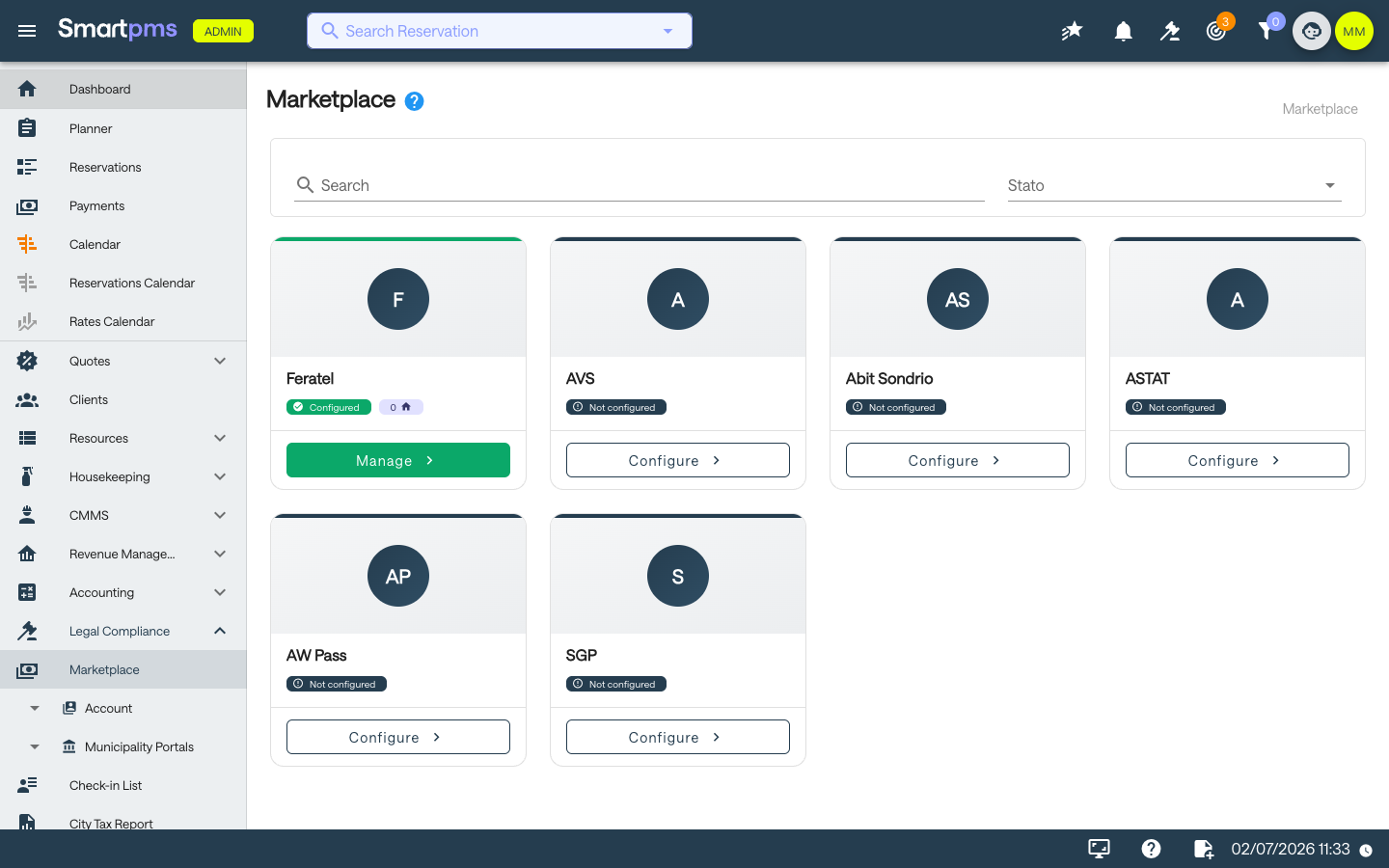
- Go to Bureaucracy > Marketplace and click Configure (or Manage) on the AVS card, then Add.
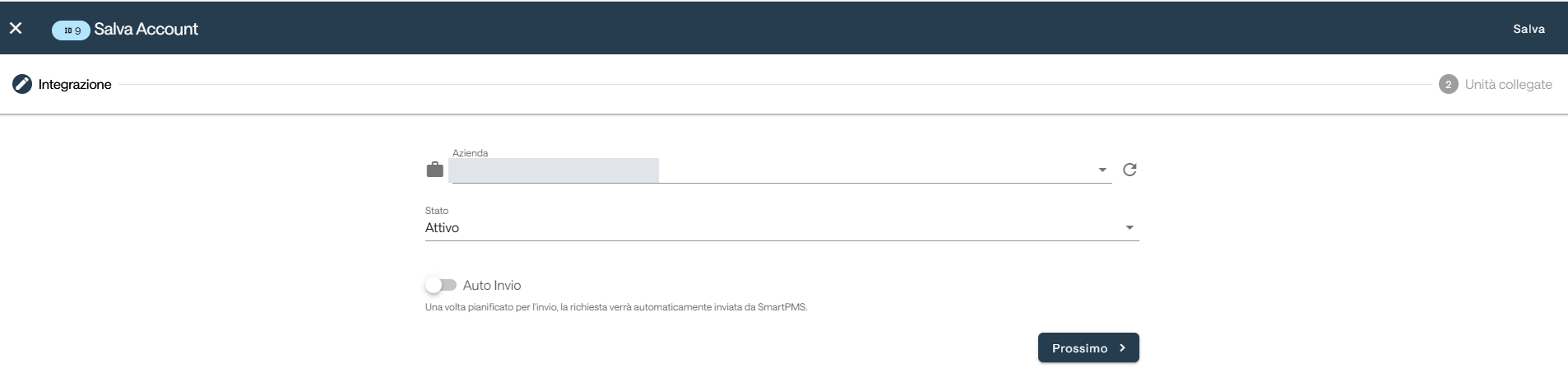
- In the Integration step, choose the Company, set Status to Active, enable Auto Submission, and click Next.
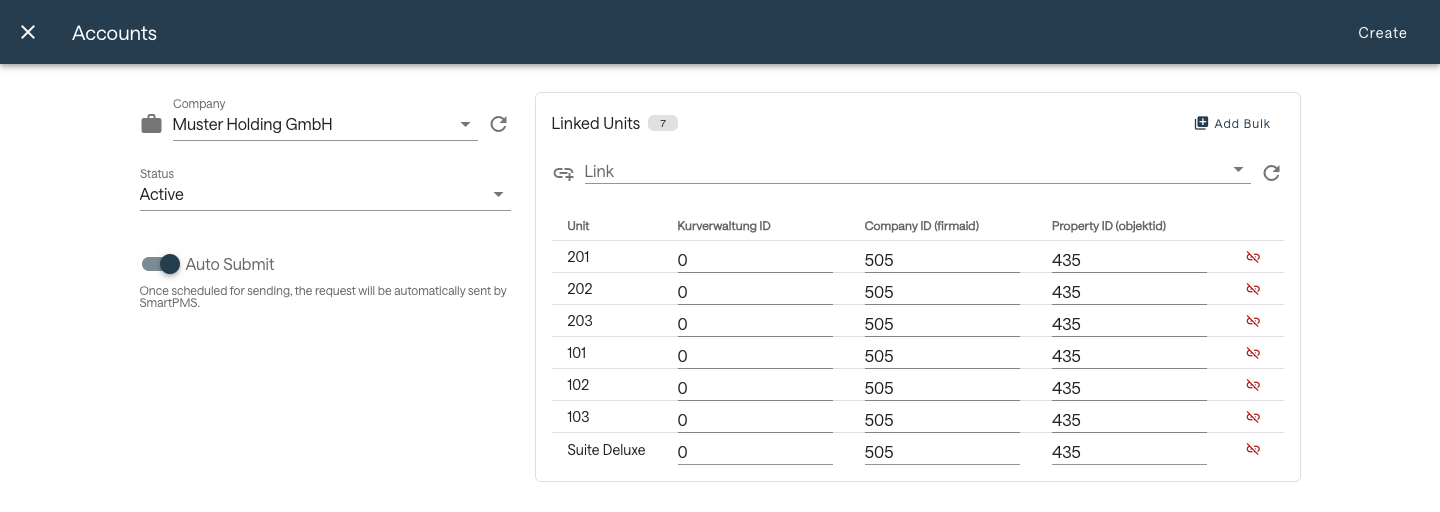
- In the Linked units step, add each unit and enter the Kurverwaltung ID, Company ID, and Property ID for each. With bulk entry, you can apply the same codes to all units of a property.
- Save. Upon saving, SmartPMS verifies with AVS that the Kurverwaltung ID is valid.
Always fill in all three codes: without the Company ID, submissions will fail. If you have multiple accommodations, check that each unit has the Property ID of its own accommodation.
2. How data is sent
Automatically. With Auto Submission active, every early morning SmartPMS sends bookings with arrival or departure on the previous day to AVS, provided at least one guest is registered in the booking. It does not matter how the guest was entered: online check-in or manual entry. The submission does not happen at the moment the guest completes the online check-in, but the following morning.
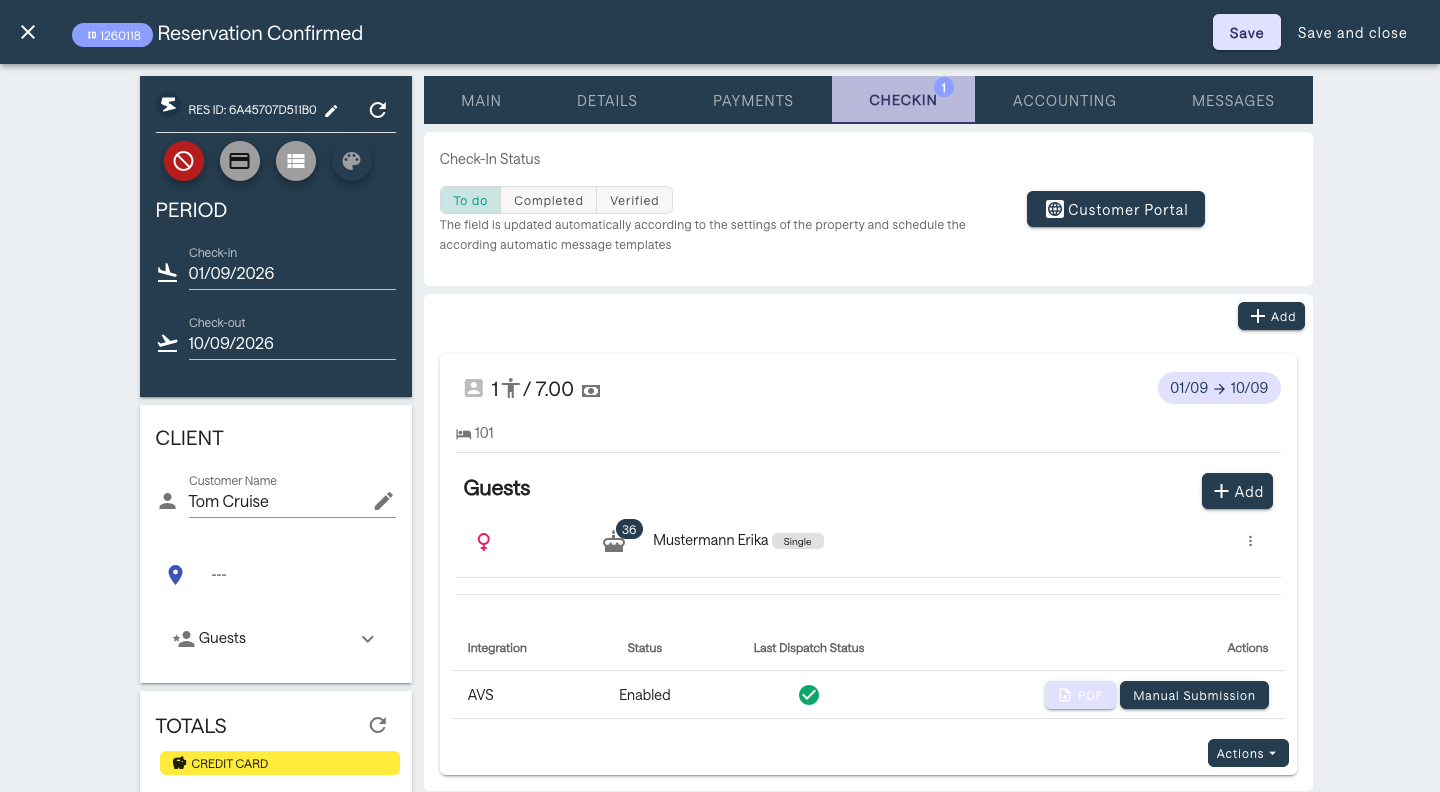
For a single booking. If you want to send immediately, open the booking, go to the Check-in tab, and click Manual submission on the AVS row.

The Last submission status column shows the result. Upon successful submission, a green checkmark and the PDF button appear.
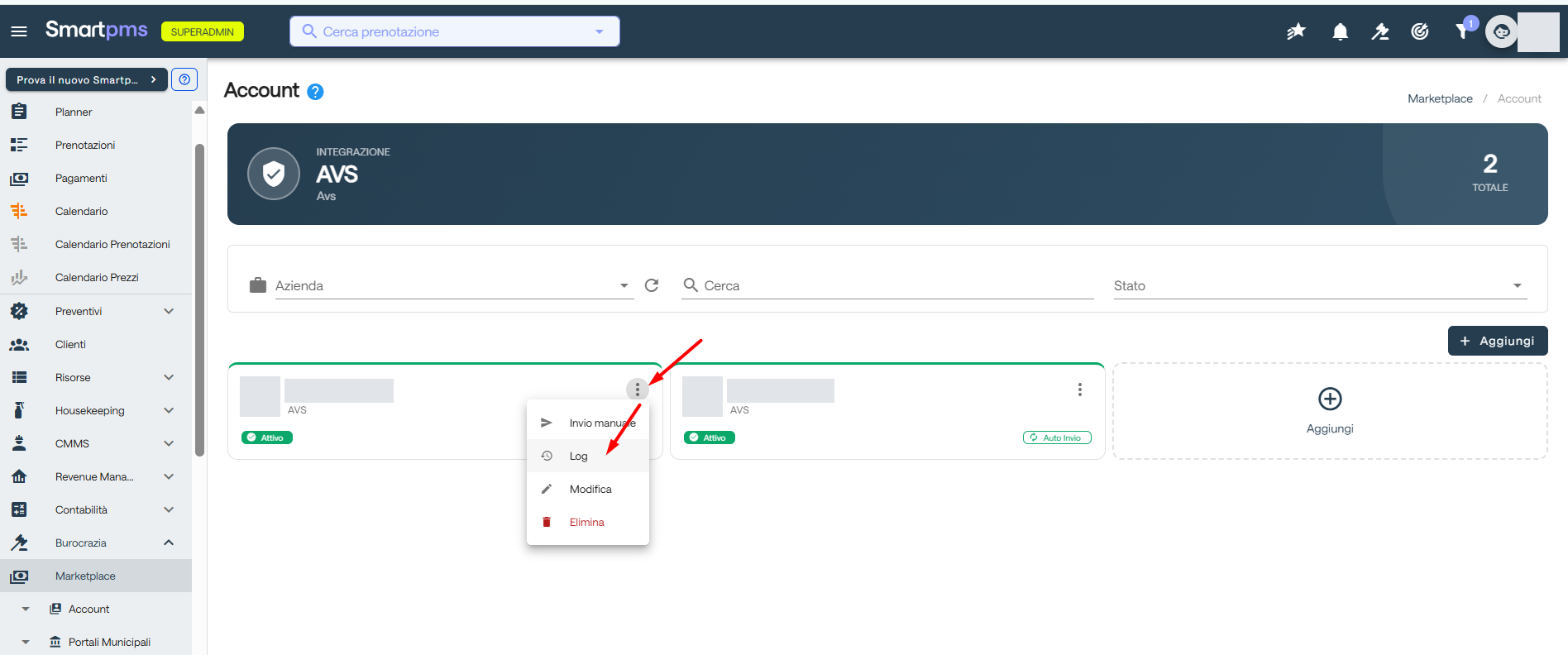
For a date. In Bureaucracy > Marketplace > Account, open the ⋮ menu of the AVS account and choose Manual submission. Specify a date: all bookings for the account with arrival or departure on that day will be sent. This is useful for recovering days not sent, for example, those prior to activation; for a long period, repeat the submission day by day.
3. Download the Meldeschein
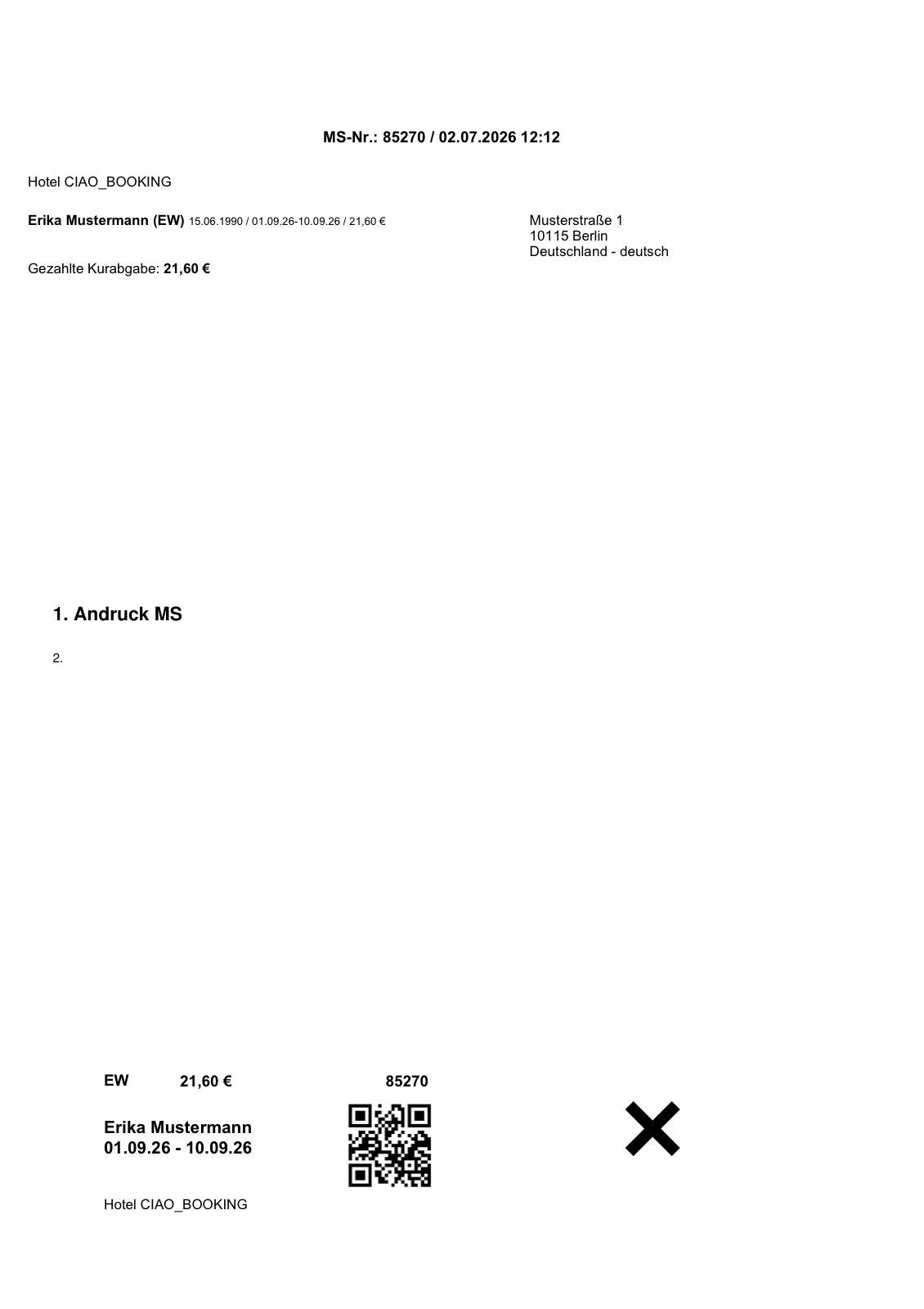
Once the submission is complete, click PDF on the AVS row of the Check-in tab to download the Meldeschein generated by AVS, with the form number and the tax amount calculated by the municipality.
4. Check submissions
From the account's ⋮ menu, the Log entry lists all submissions with status (Completed or Failed) and the message returned by AVS. You can filter by status or search by unit name.
5. Guest data
- Main guest: first name, last name, gender, date of birth, nationality, country of residence, and address (street with house number in the same field, zip code, city).
- Accompanying guests: first name, last name, date of birth, and nationality.
- The date of birth determines the guest category for the city tax: if missing, the guest is registered as an adult.
Limits to know
- Tax categories. SmartPMS chooses the category based on age at the arrival date: child up to 12 years old, youth from 13 to 17, adult from 18, using your municipality's categories. Reductions that do not depend on age (disability, students, business trips) are not applied automatically: correct them on the AVS portal.
- Changes after submission. If AVS has already issued the Meldeschein, subsequent changes to the booking are not transmitted: correct them on the AVS portal.
- Cancellations. A cancelled booking is not cancelled on AVS: cancel the Meldeschein from the AVS portal.
- Vehicle license plate (PKW-Kennzeichen). The license plate field, used by some municipalities for parking permits, is not supported.
Frequently asked questions
1Where do I find the Kurverwaltung ID, Company ID, and Property ID?
They are provided by the municipality when they activate your access to AVS, usually in a configuration document (Konfigurationsübersicht). Use the values from the Webservice configuration, not those for XML import. If you do not have them, ask your municipality or the tourist office.
Related guides
Activation
Activation
Activation
Activation
Activation