Smartness account administration: what it is and how to open it
The Smartness platform Administration (platform.smartness.com) is the area common to all products where you manage billing data, subscriptions, payment methods, invoices, properties, users, and your profile. Here is how to open it and what you will find on each page.
You are in the right place if…8 cases
- “Where can I find the Smartness administration area?”
- “How do I log in to platform.smartness.com to manage my account?”
- “Where do I change the company details for my SmartPMS subscription?”
- “Where can I see my Smartness subscriptions and invoices?”
- “I cannot find the Billing section in the management software”
- “How do I go back from the Administration to the management software or Smartchat?”
- “Where can I see the users who have access to my Smartness account?”
- “What is on the Administration Overview page?”
All Smartness products (SmartPMS, Smartchat, Smartpricing, Smartconnect, Smartpay) share a single account. Administrative operations on this account, such as updating billing data, checking subscriptions, managing payment methods, or downloading invoices, are not performed within individual products but in a common area: the Smartness platform Administration, at platform.smartness.com.
How to open the Administration
- Log in to platform.smartness.com with your email and password.
- On the Choose a product to continue screen, click on Administration (1), in the bottom right corner.
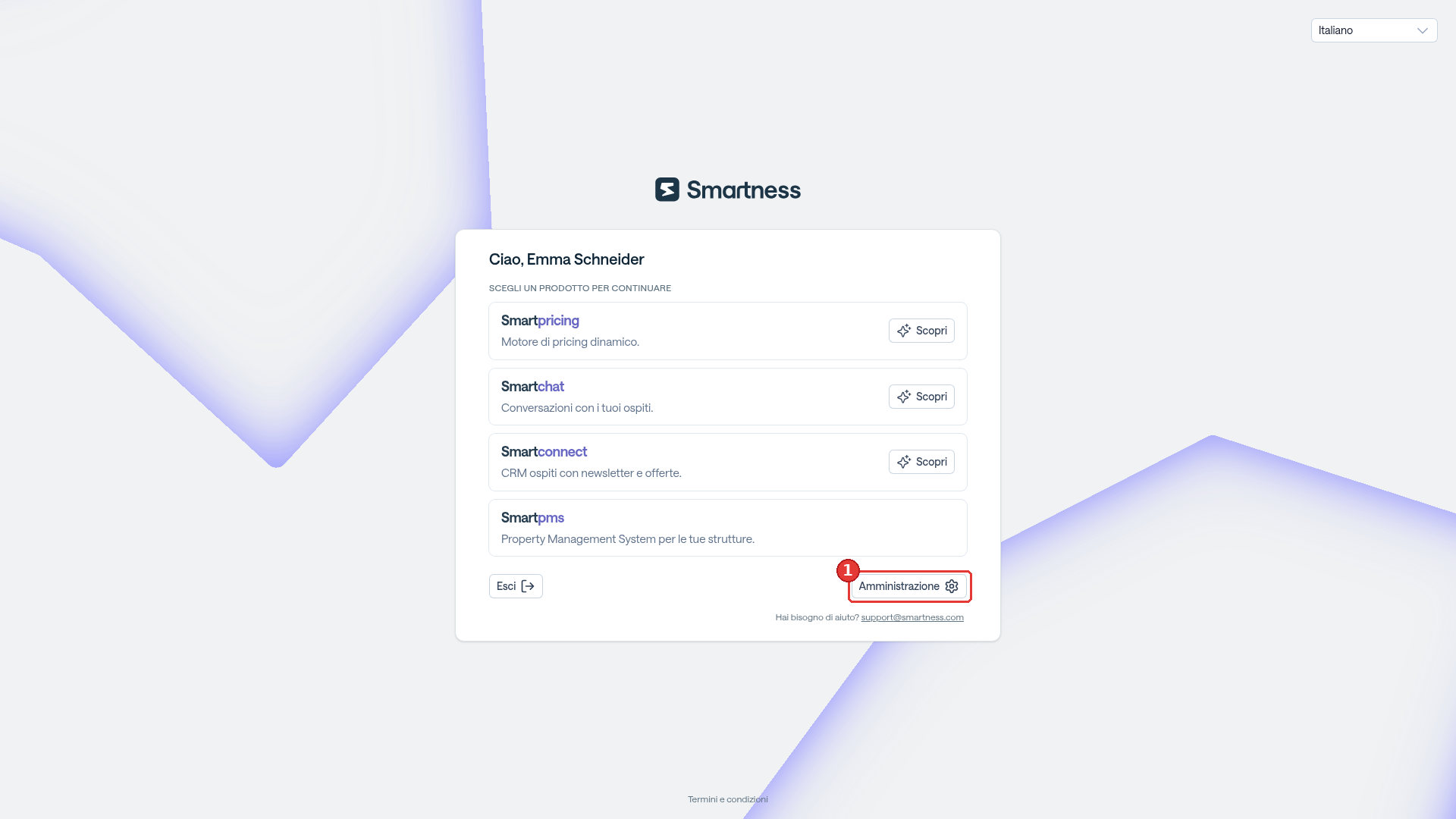
If you are already inside a product, open the product menu in the top left and choose Administration: the same menu will take you back to the product when you are finished.
If a product opens directly upon login, it is because you have set a Default product in the User settings: use the product menu in the top left to switch to Administration.
What you find in the Administration
The product menu (1) in the top left indicates where you are. The side menu (2) is divided into two parts.
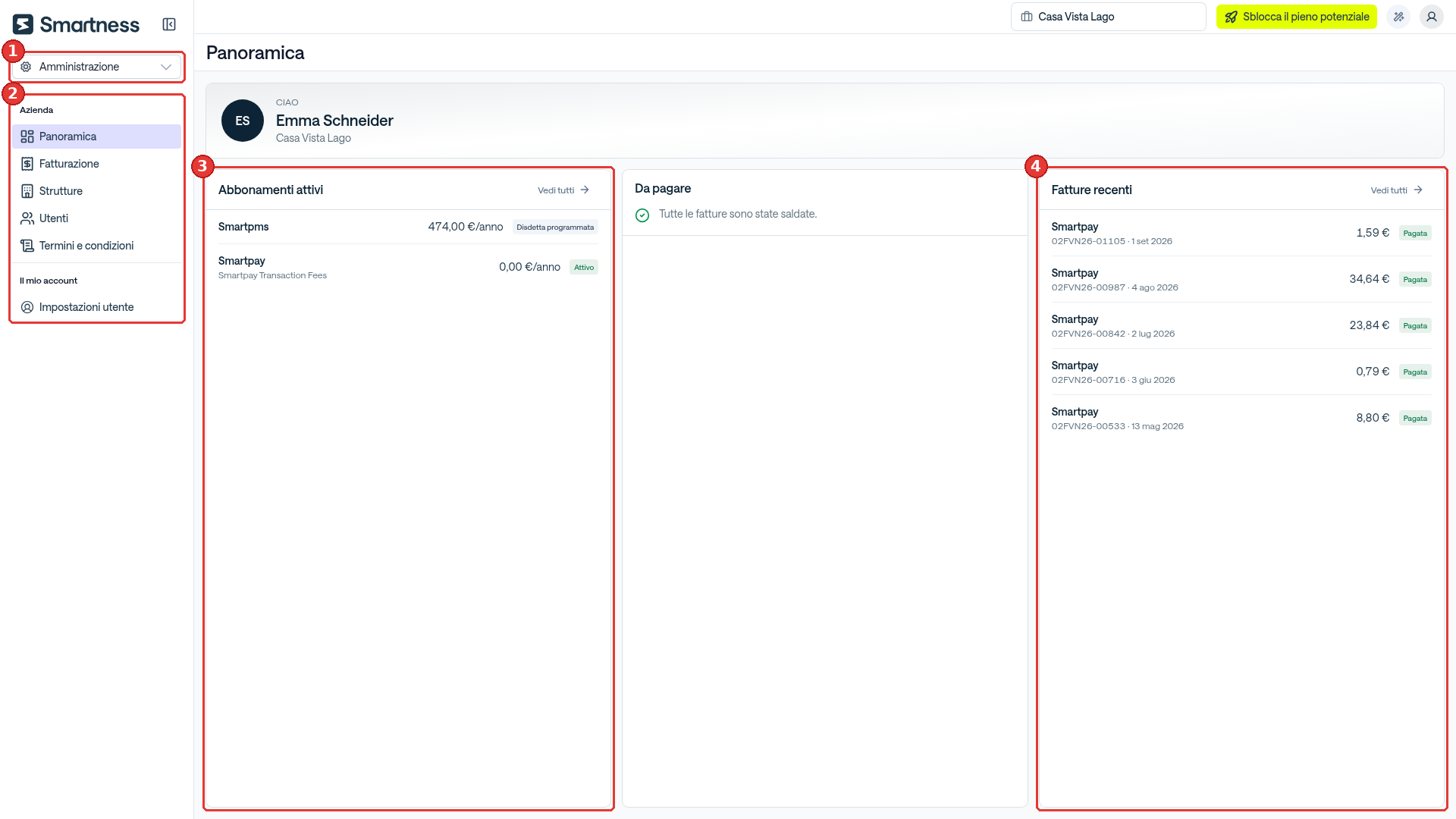
Company, with account data that applies to all products:
- Overview: a summary with Active subscriptions (3), the To be paid box with open invoices, and Recent invoices (4). Use See all to go to the complete list.
- Billing: billing profiles, subscriptions, payment methods, and, in the Documents tab, all invoices.
- Properties: the properties linked to the account, with the number of units and the request for additional units.
- Users: the users who have access to the account.
- Terms and conditions: the service terms document, which can be viewed directly on the page.
My account, with the personal settings of the logged-in user:
- User settings: personal data, language, default product, password, two-factor authentication, and access log.
At the top, you will also find the selector for the property you are currently working on.
Account users
On the Users page (1), you can see who has access to your Smartness account, with their email, first name, and last name; your user is indicated as You. Use the Search by name or email field (2) to quickly find a person in the table (3).
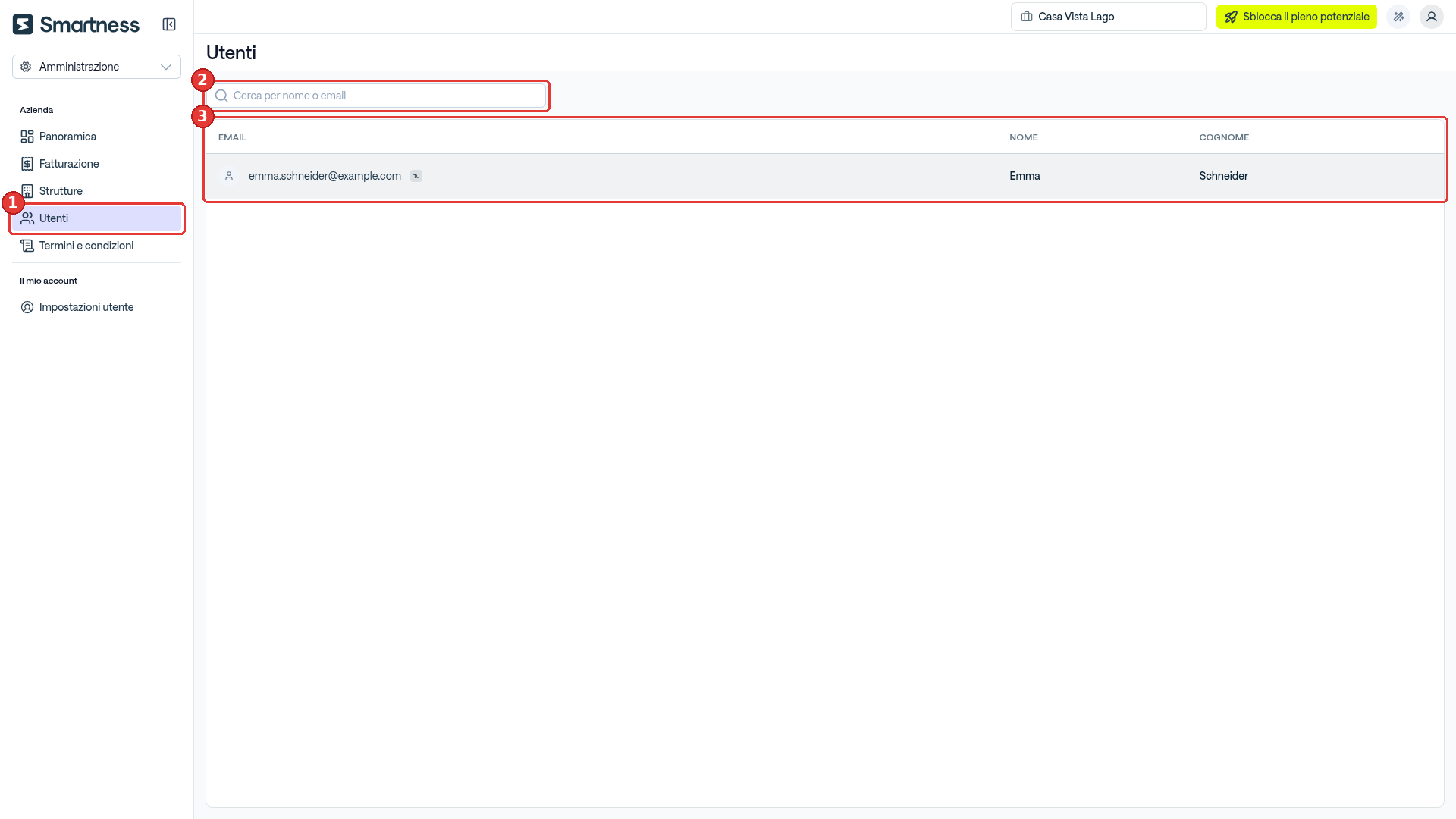
Roles and permissions for collaborators within individual products (for example, which properties a user can see in SmartPMS) are managed in the settings of each product instead.
Who can use the Administration
The sections of the Company area, in particular Billing, are designed for the subscription owner and account administrators. If you do not see them, log in with the account administrator's credentials or ask them to perform the operation. User settings, on the other hand, are available to every user.
Related guides
Configuration
How it works
Configuration
Configuration
Configuration
Configuration