Finding and downloading Smartness invoices
How to find your subscription and Smartpay commission invoices from the Smartness platform Administration, filter them by type, status, and subscription, check if they are paid, and download them as PDFs.
You are in the right place if…7 cases
- “Where do I download Smartness invoices?”
- “I need the SmartPMS subscription invoice for my accountant”
- “Where can I find Smartpay commission invoices?”
- “How do I see if a Smartness invoice has been paid?”
- “Do I have any invoices to pay to Smartness?”
- “I would like the PDF of a Smartness invoice”
- “Where can I find the invoice history for my account?”
All invoices issued by Smartness for subscriptions and Smartpay commissions are in the Smartness platform Administration, ready to be downloaded as PDFs.
A summary is already available in the Overview: the To be paid box shows invoices still to be settled (or "All invoices have been settled") and Recent invoices shows the latest ones issued.
Complete list of invoices
- Open the Administration (platform.smartness.com → Administration) and click on Billing.
- Open the Documents tab (1).
- Narrow down the list using the Type, Status, and Subscription filters (2); Reset filters restores them to their initial values.
- To download an invoice, click the icon in the PDF column (3) at the end of the row.
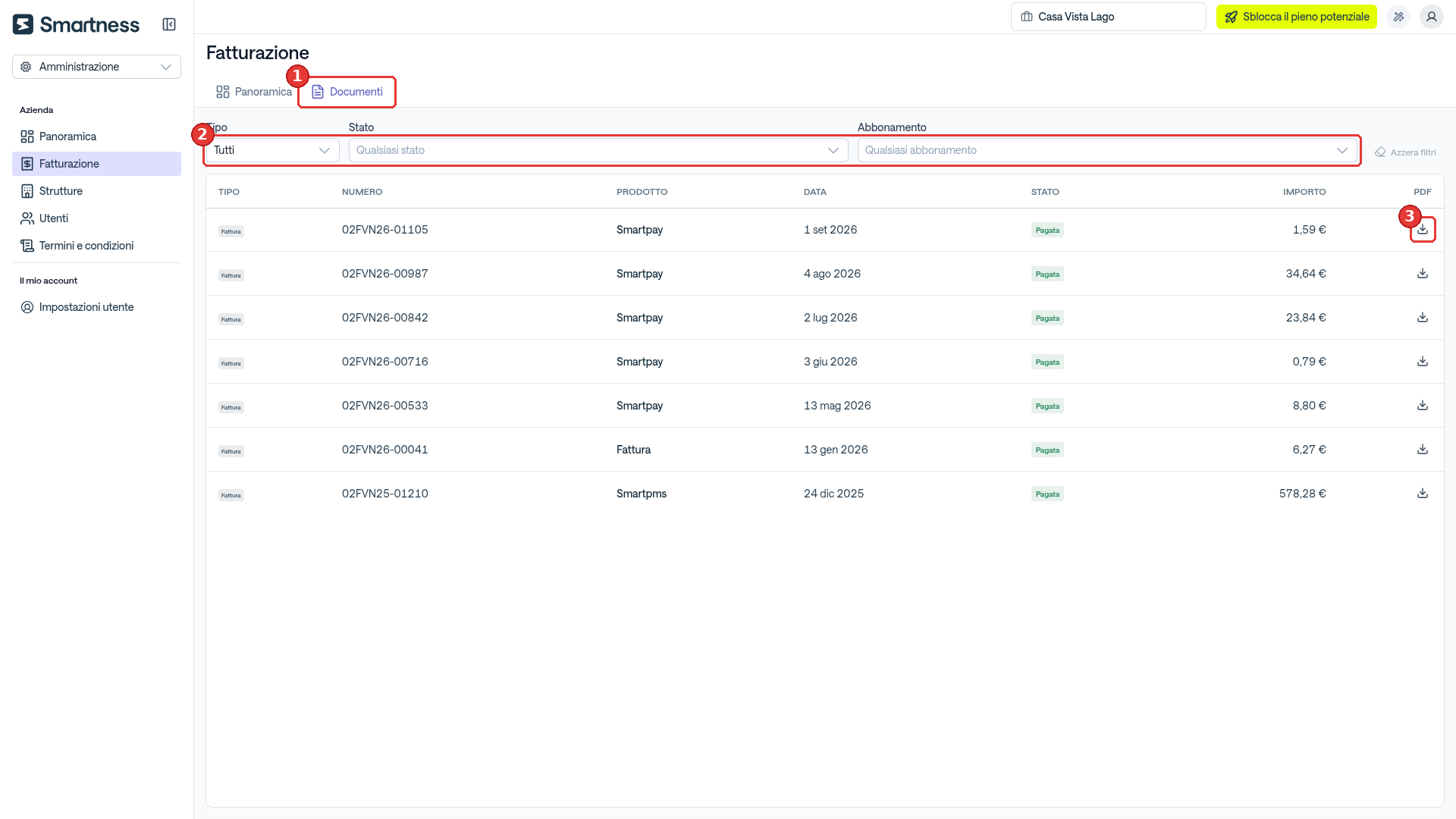
For each document, the table shows Type, Number, Product, Date, Status (e.g., Paid), and Amount.
You can also access the invoices for a single subscription from Billing → Overview → Subscriptions, using the View invoices button on the subscription row.
Related guides
How it works
How it works
Configuration
Configuration
Configuration