

Make extras easier to recognize in Smartpms
Describe your extras consistently across Smartpms, the booking engine and channels.
When you create an extra, choose what you provide to the guest in the required Extra type field: for example, select Breakfast and the category will be assigned automatically. You can do this for both property and preset extras.
Existing extras without a type show as Unclassified: open them and choose a type to classify them. Consistent descriptions lay the foundation for more accurate mapping to OTAs and cleaner reports.
- Properties > open the property > Extras
- Create
- Extra type: choose what you provide to the guest (e.g. Breakfast); the category is assigned automatically
- For presets: Preset > Extras > Add extra (existing extras without a type show as Unclassified)
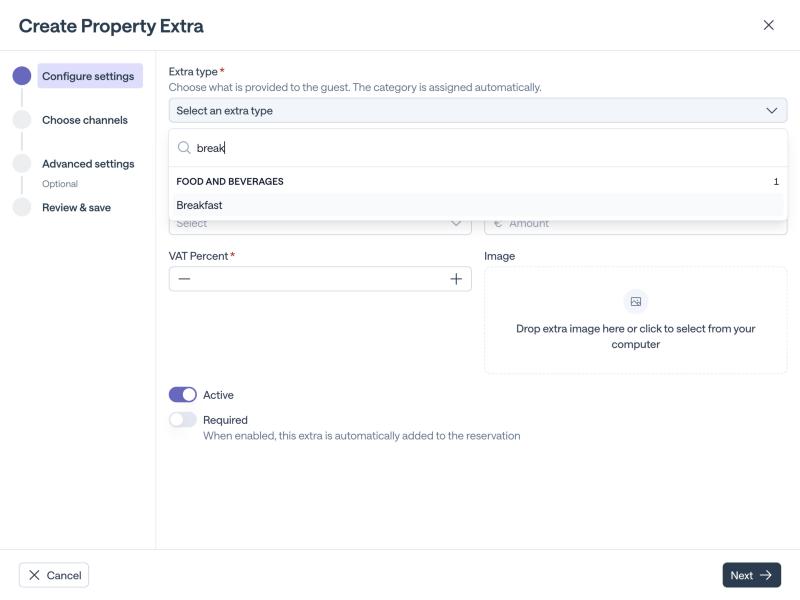
The Extra type field when creating an extra
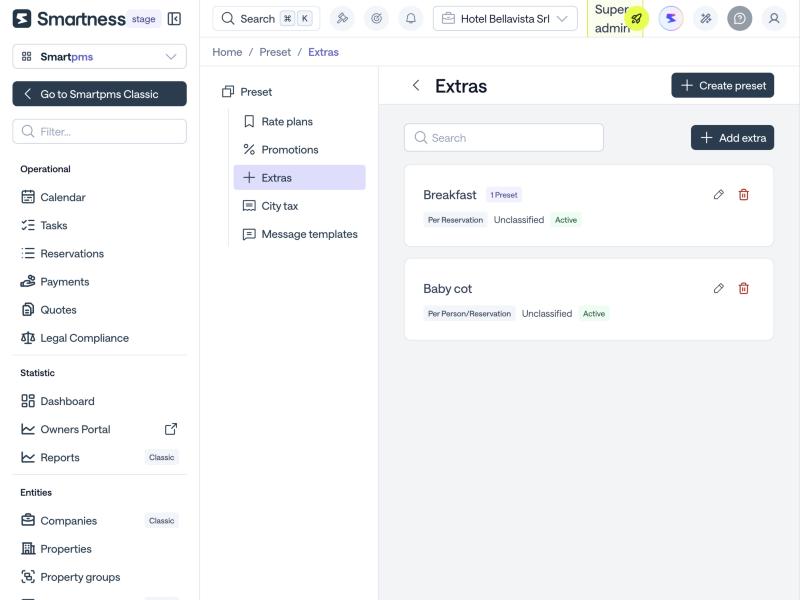
Preset extras: those without a type show as Unclassified