Test the AI agent before it replies to guests
Check the AI agent’s responses and correct information before enabling automatic replies.
AI Sandbox is a test environment: you can write as a guest and see the AI agent’s response without sending anything to a real guest. The test does not exactly reproduce a real conversation.
Create a session by choosing a property, AI Profile, channel, and PMS Actions to enable. If needed, set a simulated time, then write the guest’s first message.
For example, you can ask a question about the property and check whether the response uses information from the Knowledge Base and follows the tone and instructions in the AI Profile. You can also test PMS Actions in normal situations and make any necessary corrections before enabling automatic replies.
Sessions remain in the sidebar: you can reopen them or start again with the same configuration. Stay on the page while the AI is writing; if a response fails, try again.
- In the sidebar, click “AI Sandbox”.
- Click “New”.
- Choose “Channel”, “Property Sets” and “AI Profile” and, if you use them, the “PMS Actions”.
- Click “Create Session”.
- Type the guest’s question in the “Type a message as the guest...” field and send it.
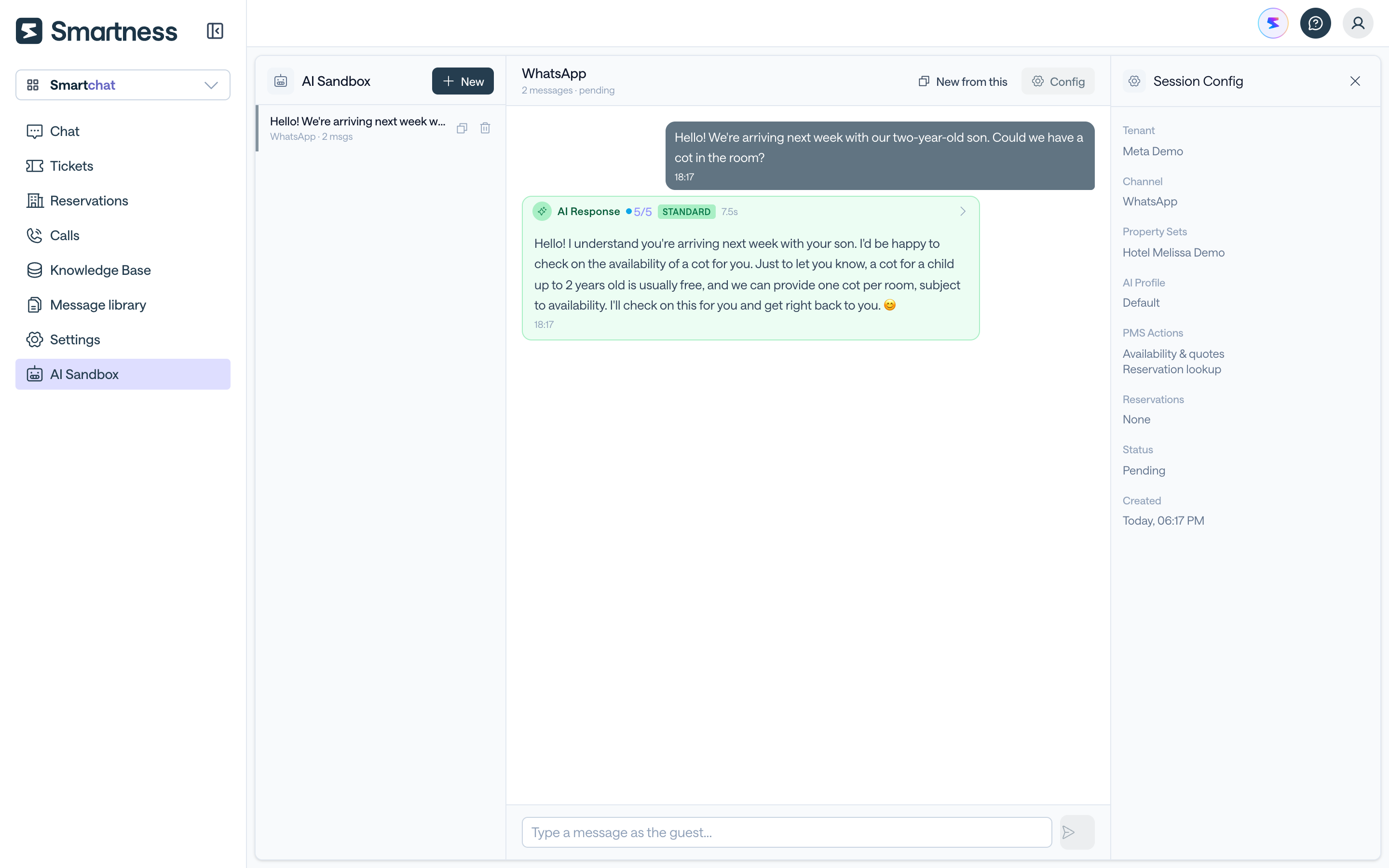
A test session in AI Sandbox: the guest's question, the AI agent's reply and the session configuration.